Government ID Stamp
Prove you’re a real, unique person using a government-issued document. Powered by human.tech (Holonym Foundation), the Government ID Stamp turns sensitive personal data into cryptographic proofs using zero-knowledge technology: privacy-preserving, compliance-ready, with nothing sensitive stored.
The Stamp is worth 16 points toward your Unique Humanity Score, whichever option you choose.
Three ways to verify
| Option | Cost | Proof | Best for |
|---|---|---|---|
| Government ID | $5 | On-chain SBT, reusable | Driver’s licenses, ID cards, residence permits, or passports without an NFC chip |
| NFC Passport — $3 | $3 | On-chain SBT, reusable | A biometric passport, for permanent, portable proof |
| NFC Passport — Free | Free | 1-week off-chain attestation, one-time | A one-time verification, with no ongoing reuse needed |
Requirements
- A smartphone with internet
- An Ethereum wallet
- A Human Passport account
- For Government ID: a valid ID document and your phone’s camera
- For NFC Passport (Free or $3): an NFC-enabled smartphone and a biometric passport
- Wallet balance to cover gas plus the verification fee ($5, $3, or $0)
Step-by-step
1. Open the Government ID Stamp
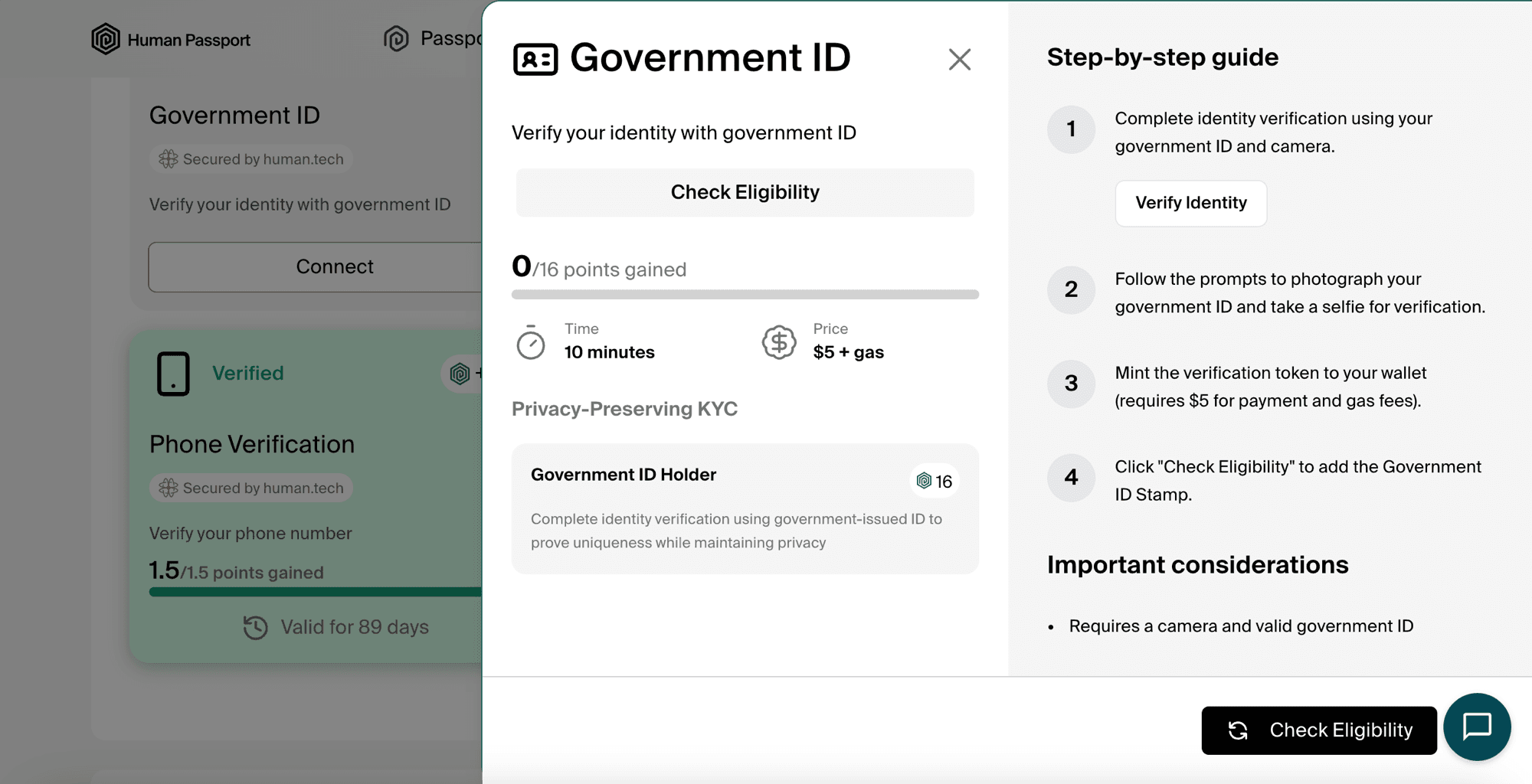
Sign in at app.passport.xyz , find the Government ID Stamp card, and click Connect. The panel shows an overview (about 10 minutes, $5 + gas, 16 points) and a step-by-step guide. Click Verify Identity.
2. Sign in with your wallet
Confirm the wallet signature to continue.
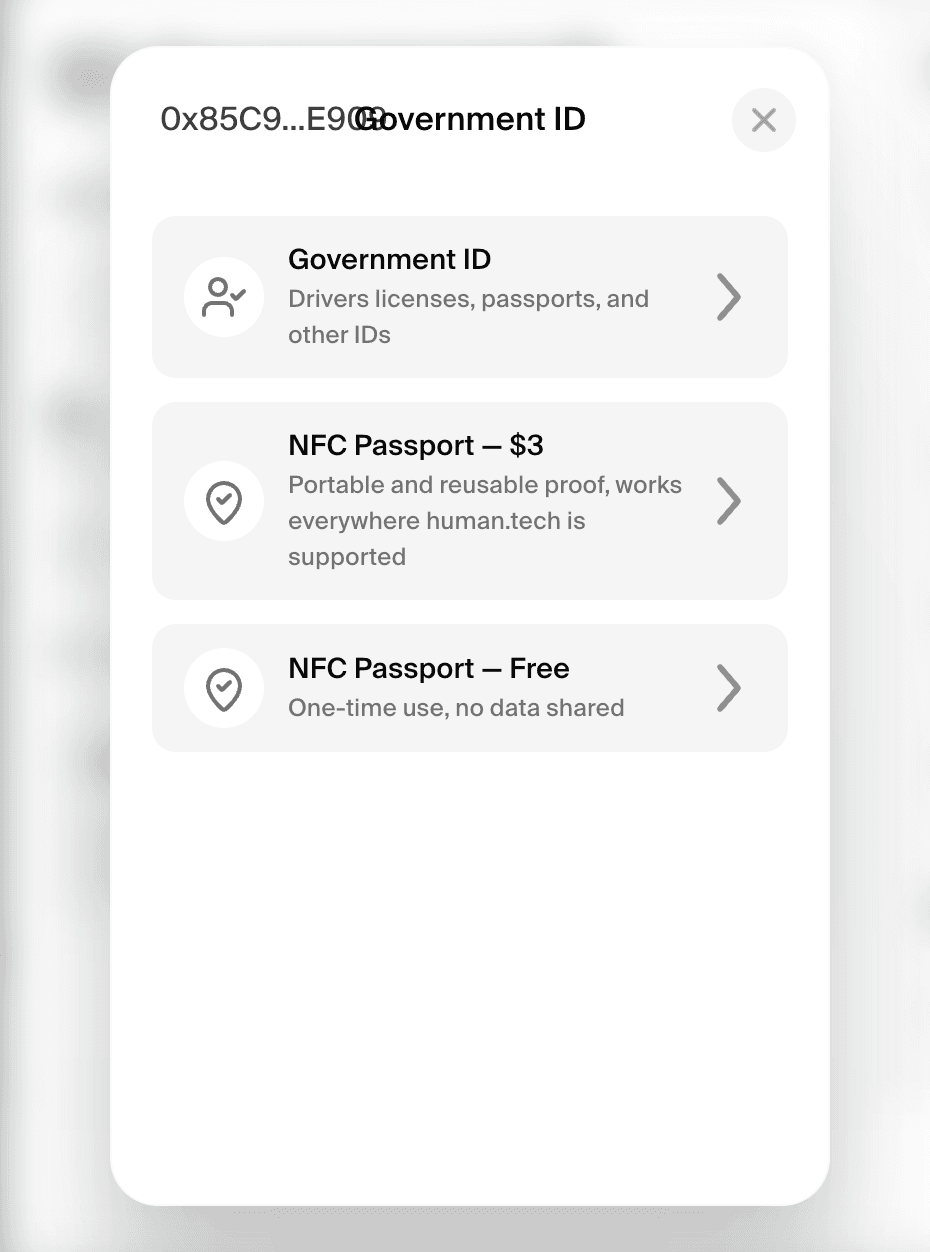
3. Choose your verification method
Pick one of the three options:
- Government ID — driver’s licenses, passports, and other IDs ($5)
- NFC Passport — $3 — portable, reusable proof; works everywhere human.tech is supported
- NFC Passport — Free — one-time use, no data shared
4. Complete the verification
The steps depend on the option you picked.
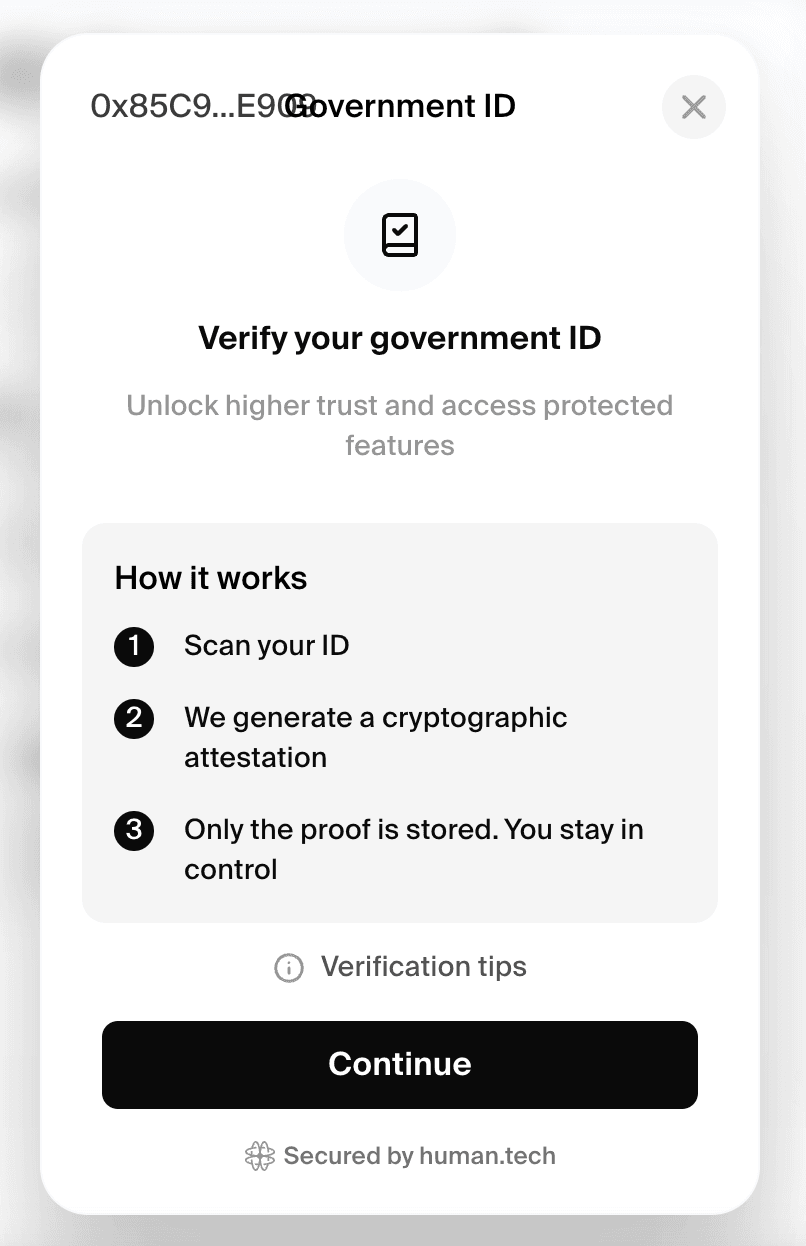
Government ID ($5)
- Scan your ID.
- The system generates a cryptographic attestation.
- Only the proof is stored. You stay in control.
- Confirm payment and mint your Soulbound Token (SBT).
NFC Passport ($3 or Free)
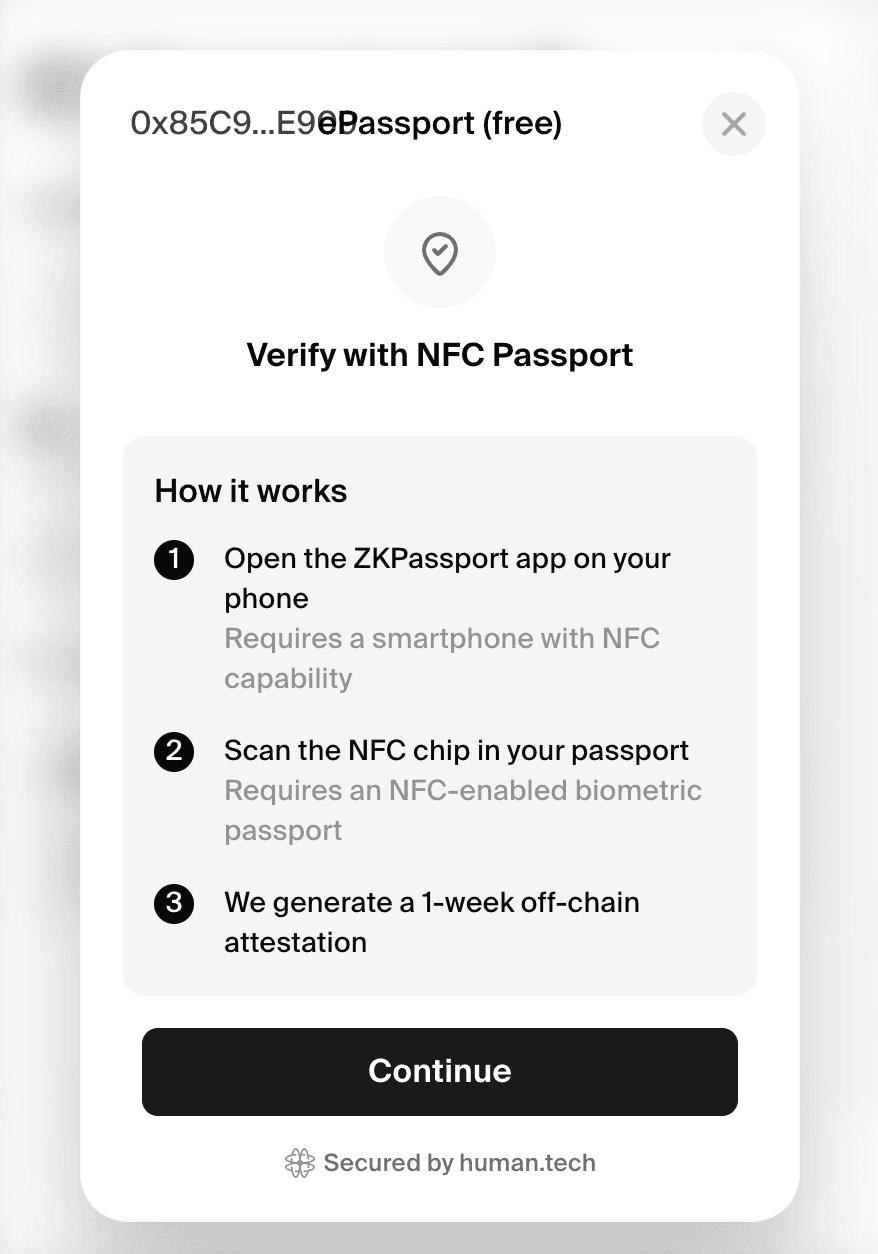
Verification runs in the ZKPassport app:
- Open the ZKPassport app on your phone (requires a smartphone with NFC capability).
- Scan the NFC chip in your passport (requires an NFC-enabled biometric passport).
- The proof generates on your device.
For the Free option, you receive a 1-week off-chain attestation. For $3, confirm payment and mint a reusable on-chain SBT. The two look the same in the app.
5. Claim the Stamp on Human Passport
Back on your Passport dashboard, click Check Eligibility on the Government ID Stamp card. The button updates from “Connect” to “Verified.”
A note on the Free option
The Free option gives you a 1-week off-chain attestation, useful when you need to prove humanity once. After 1 week, the attestation expires. For a permanent, reusable Stamp, use the $3 on-chain option.
Zero-knowledge privacy
This Stamp uses zero-knowledge cryptography, which means:
- Your personal information from the ID or passport chip is not stored by Passport or human.tech.
- The system only verifies that a valid government document was presented, without retaining the underlying data.
- The proof is cryptographically verifiable without revealing your identity details.
Supported networks
The SBT (Government ID and the $3 NFC Passport option) can be minted on any of the following networks:
- Ethereum
- Optimism
- Base
- Aurora
- Avalanche
- Fantom
Troubleshooting
- ID scan fails — Ensure good lighting and a clear, unobstructed view of your ID. Avoid glare and reflections.
- Camera issues — Use a smartphone with a high-quality camera for best results. Ensure good lighting and avoid glare.
- NFC scan fails — Make sure NFC is enabled on your phone, and hold the passport’s photo page against the back of the device until the read completes.
- ID or passport type not accepted — Government IDs (passports, national ID cards, driver’s licenses) are accepted; NFC verification requires a biometric (chipped) passport.
- SBT not appearing — The minting transaction may take a few minutes to confirm. Check the transaction on the relevant network’s block explorer.